 nopnop2002
esp-idf-can2http
CANbus to http bridge using esp32.
It's purpose is to be a bridge between a CAN-Bus and a HTTP-Server.
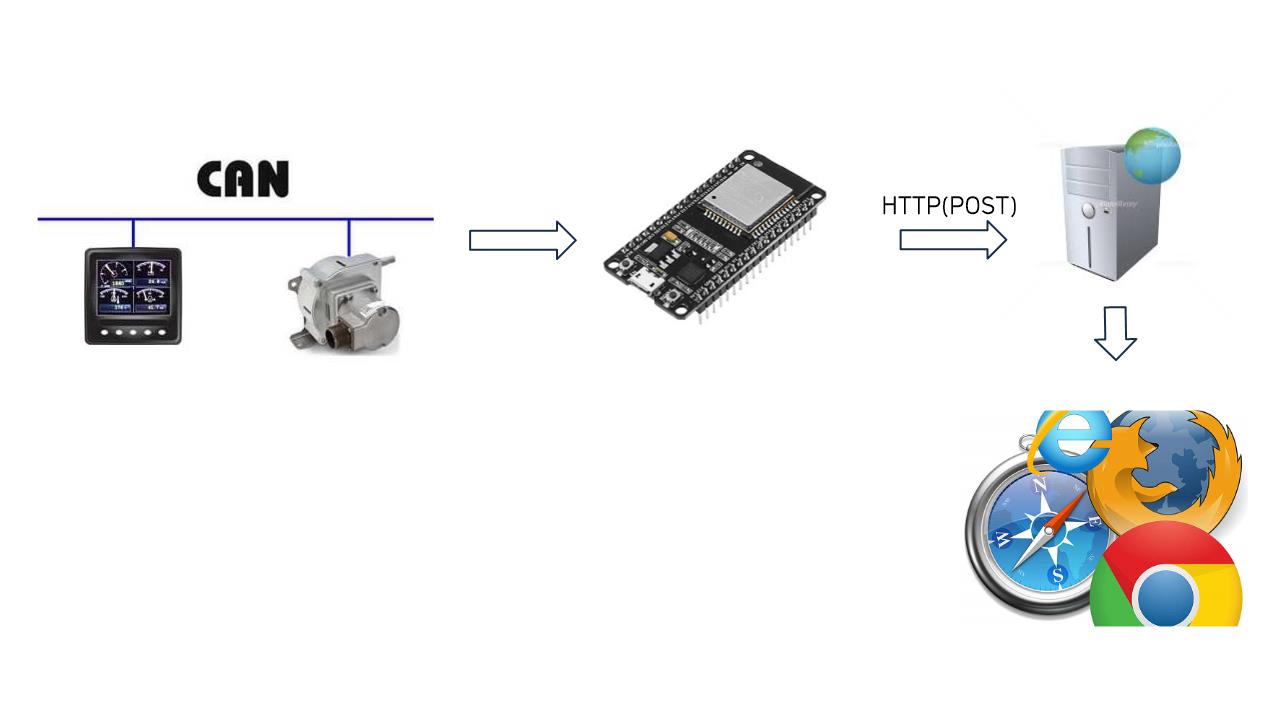
You can visualize CAN-Frame using a visualization library such as Matplotlib.
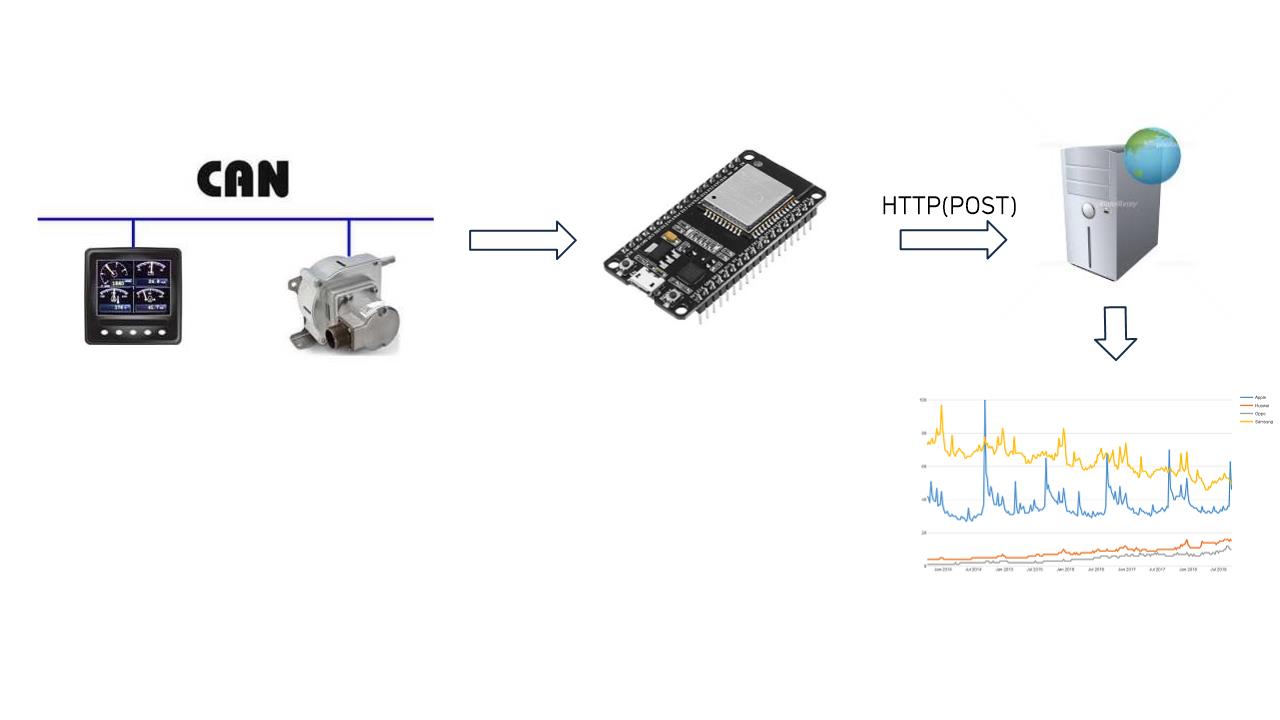
I inspired from here.
Software requirement
esp-idf v4.2-dev-2243 or later.
Use twai(Two-Wire Automotive Interface) driver instead of can driver.
Hardware requirements
- SN65HVD23x CAN-BUS Transceiver
| SN65HVD23x | ESP32 | ESP32-S2 | ||
|---|---|---|---|---|
| D(CTX) | -- | GPIO21 | GPIO20 | (*1) |
| GND | -- | GND | GND | |
| Vcc | -- | 3.3V | 3.3V | |
| R(CRX) | -- | GPIO22 | GPIO21 | (*1) |
| Vref | -- | N/C | N/C | |
| CANL | -- | To CAN Bus | ||
| CANH | -- | To CAN Bus | ||
| RS | -- | GND | GND | (*2) |
(*1) You can change using menuconfig.
(*2) N/C for SN65HVD232
- Termination resistance
I used 150 ohms.
Test Circuit
   +-----------+ +-----------+ +-----------+
   | Atmega328 | | Atmega328 | |   ESP32   |
   |           | |           | |           |
   | Transmit  | | Receive   | | 21    22  |
   +-----------+ +-----------+ +-----------+
     |       |    |        |     |       |
   +-----------+ +-----------+   |       |
   |           | |           |   |       |
   |  MCP2515  | |  MCP2515  |   |       |
   |           | |           |   |       |
   +-----------+ +-----------+   |       |
     |      |      |      |      |       |
   +-----------+ +-----------+ +-----------+
   |           | |           | | D       R |
   |  MCP2551  | |  MCP2551  | |   VP230   |
   | H      L  | | H      L  | | H       L |
   +-----------+ +-----------+ +-----------+
     |       |     |       |     |       |
     +--^^^--+     |       |     +--^^^--+
     |   R1  |     |       |     |   R2  |
 |---+-------|-----+-------|-----+-------|---| BackBorn H
             |             |             |
             |             |             |
             |             |             |
 |-----------+-------------+-------------+---| BackBorn L

      +--^^^--+:Terminaror register
      R1:120 ohms
      R2:150 ohms(Not working at 120 ohms)
NOTE
3V CAN Trasnceviers like VP230 are fully interoperable with 5V CAN trasnceviers like MCP2551.
Check here.
Installation for ESP32
git clone https://github.com/nopnop2002/esp-idf-can2http
cd esp-idf-can2http
idf.py set-target esp32
idf.py menuconfig
idf.py flash
Installation for ESP32-S2
git clone https://github.com/nopnop2002/esp-idf-can2http
cd esp-idf-can2http
idf.py set-target esp32s2
idf.py menuconfig
idf.py flash
Configuration


CAN Setting

WiFi Setting
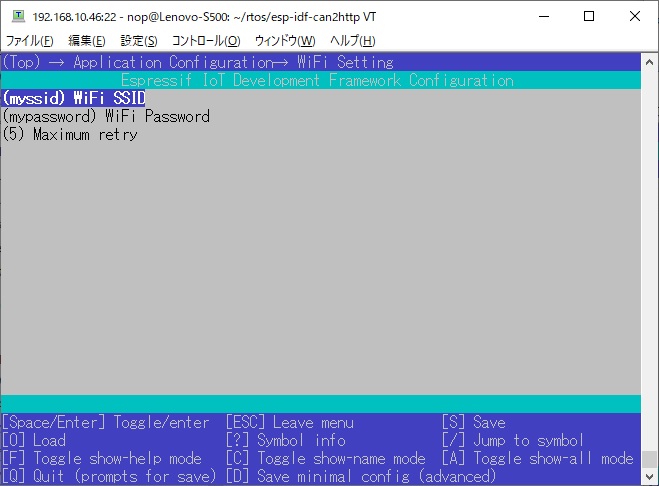
HTTP Server Setting

Definition from CANbus to HTTP
When CANbus data is received, it is sent by HTTP POST according to csv/can2http.csv.
The file can2http.csv has three columns.
In the first column you need to specify the CAN Frame type.
The CAN frame type is either S(Standard frame) or E(Extended frame).
In the second column you have to specify the CAN-ID as a hexdecimal number.
In the last column you have to specify the HTTP-POST-Path.
Each CAN-ID and each HTTP-POST-Path is allowed to appear only once in the whole file.
S,101,/post
E,101,/post
S,103,/post
E,103,/post
When a Standard CAN frame with ID 0x101 is received, POST with the "/post" PATH.
When a Extended CAN frame with ID 0x101 is received, POST with the "/post" PATH.
HTTP Server Using Tornado
sudo apt install python3-pip python3-setuptools
python -m pip install -U pip
python -m pip install -U wheel
python -m pip install tornado
cd tornado
python can.py

HTTP Server Using Flask
sudo apt install python3-pip python3-setuptools
python -m pip install -U pip
python -m pip install -U wheel
python -m pip install -U Werkzeug
python -m pip install flask
cd flask
python can.py

Brows data Using Tornado/Flask
Open your browser and put the Server's IP in the address bar.

Visualize CAN-Frame
There is a lot of information on the internet about the Python + visualization library.
Troubleshooting
There is a module of SN65HVD230 like this.

There is a 120 ohms terminating resistor on the left side.

I have removed the terminating resistor.
And I used a external resistance of 150 ohms.
A transmission fail is fixed.

If the transmission fails, these are the possible causes.
- There is no receiving app on CanBus.
- The speed does not match the receiver.
- There is no terminating resistor on the CanBus.
- There are three terminating resistors on the CanBus.
- The resistance value of the terminating resistor is incorrect.
- Stub length in CAN bus is too long. See here.